Yes, your robotic pool cleaner can collect dead algae that’s settled on the floor, but only if its filter traps fine particles. Dead algae leaves gray or white dust measuring 2 30 microns, and a standard 100 200-micron basket lets much of it pass back into the water. Install a 10 50-micron cartridge, and wait until the debris settles before you run it. The right prep, safe handling, and filter care steps make all the difference. Winter storage for robotic pool cleaners is essential to prolong the life of the unit. Proper storage helps prevent wear and tear from temperature fluctuations and makes it ready for use when the warmer months return.
Key Takeaways
- Robotic pool cleaners can collect dead settled algae, but only if their filters trap fine particles effectively.
- Dead algae particles measure about 2 30 microns, so coarse 100 200-micron baskets let much residue pass back into the water.
- Filters rated around 10 50 microns, or optional ultra-fine cartridges, greatly improve pickup of dead algae dust.
- Kill the algae first and let it settle before running the robot, since suspended particles collect poorly.
- Empty and rinse the robot filter immediately after cleaning, and clean the main pool filter to remove leftover residue.
Do Robotic Pool Cleaners Pick Up Dead Algae

Yes, a robotic pool cleaner can pick up dead algae that has settled on your pool floor, provided its filter traps particles fine enough. It can’t kill algae, though. After treatment, dead algae usually settles as a gray or white dust, with particles as small as 2 30 microns. A coarse 100 200-micron filter basket lets much of that material pass back into your water.
For better results, you’ll want a fine filter rated around 10 50 microns, or an optional ultra-fine cartridge designed for fine debris like algae, silt, and dust. Remember that the robot only removes algae physically. It doesn’t replace chemical treatment. It works best on light residue, since a thick layer can overwhelm its filter. Expect finer filters to clog faster and reduce flow.
Why is dead algae hard for a pool cleaner to remove
Dead algae is hard for a pool cleaner to remove because its particles are tiny, often measuring roughly 2 30 microns, so they can slip through a robot’s coarse 100 200-micron screen and return to the pool. You’ll get better results with a fine filter rated around 10 50 microns, though it clogs faster and cuts water flow. To keep your pool cleaner operating efficiently, it’s essential to stop pool cleaner cord tangling. This can be achieved by ensuring that the power cord is properly managed and organized.
Dead algae also settles as a light gray or white dust that’s easy to disturb. If you run the cleaner too soon, or it moves aggressively, it stirs particles back into suspension instead of collecting them. Let debris settle after treatment and after brushing walls, steps, and corners.
Volume matters too. A thick layer can overwhelm the onboard basket quickly. If water clarity doesn’t improve after a cycle, your filter likely isn’t capturing the smallest particles.
Which robotic cleaner features handle it best

Fine filtration is the feature that handles fine algae dust best, mattering more than any other. Dead algae particles can measure roughly 2 30 microns, so a coarse 100 200-micron screen may let much of it pass straight back into your pool. Look for a cleaner rated around 10 50 microns, or one that accepts an optional ultra-fine cartridge for algae, silt, and dust.
Interchangeable filters give you flexibility: you can use the fine cartridge after treatment and switch to a coarse basket for leaves. Finer media clogs faster and reduces flow, so choose a model with an easy-access basket you can empty and rinse after each algae-heavy cycle. Even the best filter has limited capacity, so reserve your robot for light residue rather than a thick blanket.
How do you prepare the pool before running the cleaner
Prepare the pool by killing the algae first and letting it settle on the floor, since suspended particles won’t collect well. Brush walls, steps, and corners to dislodge clinging growth. Swap in the finest filter your model offers, since coarse screens let algae dust pass back into the water.
| Prep Step | Why It Matters |
|---|---|
| Brush surfaces | Loosens algae so it settles for pickup |
| Let algae settle | Keeps particles on the floor, not suspended |
| Install fine filter | Captures dust a coarse basket misses |
Clean the pool filter and rinse the robot’s cartridge before starting so flow isn’t restricted. If you see a thick blanket of dust, vacuum to waste instead. It’ll overwhelm the robot’s onboard filter. Many homeowners wonder how long robotic cleaners usually last. Regular maintenance can significantly extend their lifespan, ensuring they continue to perform effectively.
How do you clean the filter afterward
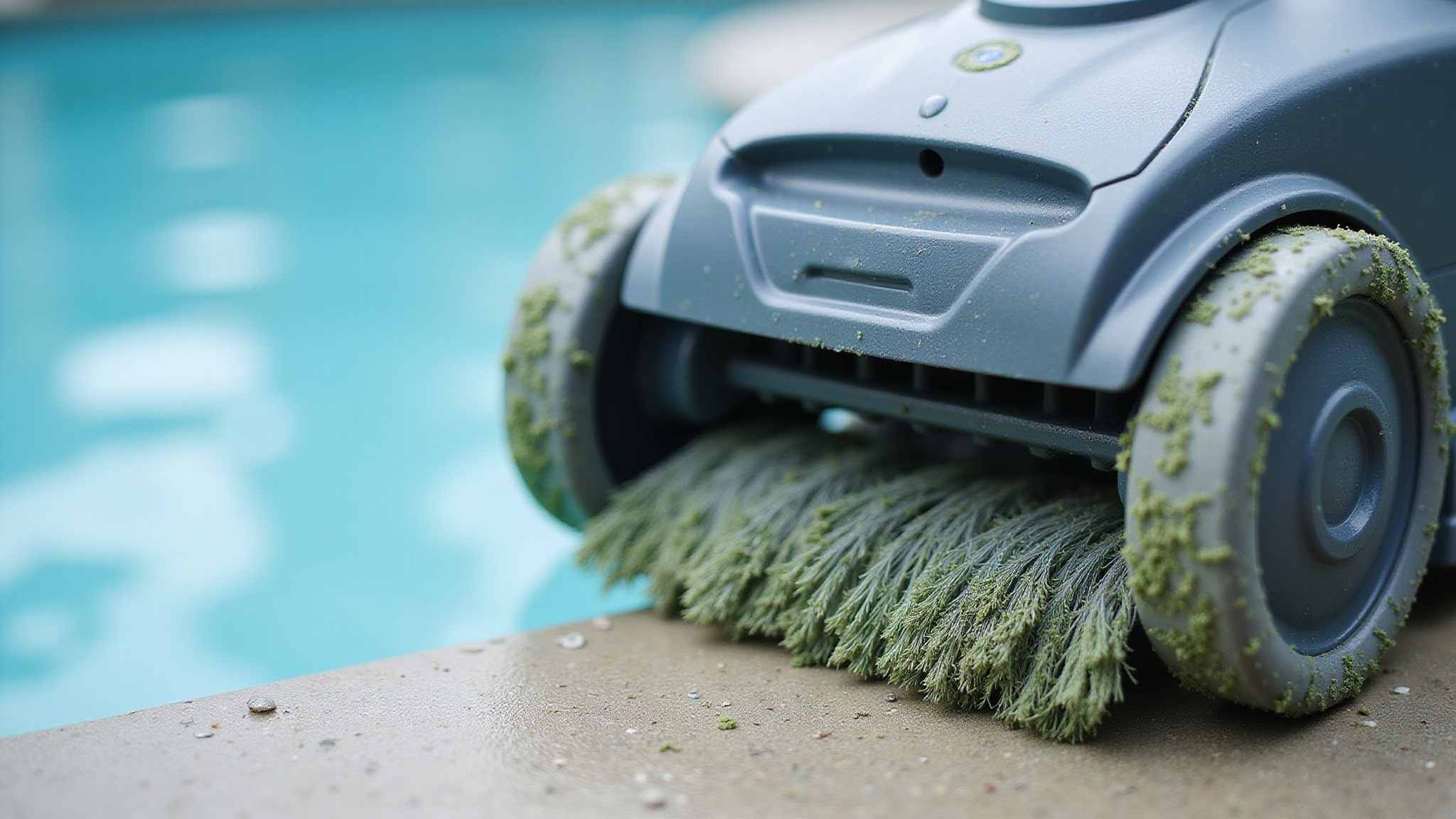
Rinse the robot’s filter basket or cartridge thoroughly with a garden hose, spraying from the clean side outward to push trapped algae dust free. Empty it right away after the robot finishes its cycle, disconnecting the power supply and lifting the unit out first. Don’t let residue dry in the mesh; fine particles harden and restrict flow on the next cycle. If you’ve used an ultra-fine cartridge, inspect it closely, since it clogs faster than a coarse screen.
Clean or backwash your pool’s main filter as well, because algae residue loads that equipment too. Afterward, check water clarity and filtration flow. If the pool’s still cloudy, repeat the cycle with a clean filter. Finally, retest and rebalance sanitizer and other water chemistry before anyone swims again.
How do you keep the problem from returning
Keep algae from returning by fixing the conditions that fed it: weak sanitizer, poor circulation, or a loaded filter. A thorough cleanup usually removes the visible debris but leaves those conditions in place. Your robot handles physical collection only, so prevention depends on chemistry and equipment.
- Retest and rebalance sanitizer and other water chemistry after cleanup, following product label directions.
- Keep your pool’s filtration running and check flow; a clogged filter slows circulation.
- Brush walls, steps, and corners regularly so clinging residue can’t take hold.
- Empty and rinse your robot’s basket or cartridge after every algae-heavy cycle.
Watch water clarity closely for several days. If cloudiness returns, your filter may not be capturing the finest particles, so clean it and consider an ultra-fine cartridge before algae reestablishes itself.
Conclusion
A robotic pool cleaner is a real ally against dead settled algae, as long as you set it up to catch the fine stuff. The trick is matching the filter to the particle size: swap the coarse 100 200-micron basket for a 10 50-micron or ultra-fine cartridge, kill the algae and let it settle first, then run a floor cycle on calm water. Afterward, empty and rinse the cartridge right away, clean the main pool filter, and retest your chemistry before anyone swims. Keep sanitizer balanced, circulation strong, and surfaces brushed, and you’ll stop algae from coming back. Treat the robot as the physical cleanup partner to good chemistry, and it will leave your pool floor clear, bright, and swim-ready.
Shop Pool Pumps and Cleaning Equipment Today
Quality pool pumps and cleaning equipment keep your pool spotless with less effort every week. Prime Pool Market has everything you need. We offer reliable Pool Pumps and cleaning gear with trusted brands and fast shipping. Call 877.650.7665 today and upgrade your pool cleaning routine.
Frequently Asked Questions
Can a Robotic Pool Cleaner Damage Vinyl Liners While Collecting Algae Dust?
Usually not, but you can cause wear if you’re careless. Most robots are built for vinyl, yet worn brushes, trapped grit, or hard wheels can scuff a liner, especially where wrinkles or seams sit. Check your manual for vinyl compatibility, inspect brushes and tracks before algae cycles, and don’t let a clogged fine filter strain the unit. Let algae settle, run a floor-only cycle, and rinse the filter thoroughly afterward.
How Long Should Dead Algae Settle Before Running a Robotic Cleaner?
Wait until the dead algae has fully settled and you can see a gray or white dust layer on a still floor; there’s no fixed timeframe that fits every pool. Brush walls, steps, and corners first so clinging algae drops too. If the water’s still cloudy, particles are suspended and your robot won’t catch them well. Fit an ultra-fine filter, and empty it after each cycle so it doesn’t clog.
Is It Safe to Swim While the Robot Removes Dead Algae?
No, you shouldn’t swim while the robot’s working. Your movement stirs settled algae back into suspension, so the cleaner can’t collect it effectively, and you risk tangling with its cable. Wait until cleanup’s finished, then empty and rinse the robot’s filter, clean or backwash the pool filter, and check clarity. Before anyone swims, retest and rebalance sanitizer and other chemistry, since algae treatment can leave levels temporarily unsafe for swimmers.
Can a Robotic Cleaner Remove Mustard or Black Algae Residue?
Yes, but only once treatment has killed the algae and the residue has settled. Your robot physically collects debris; it won’t kill live mustard or black algae or replace chemical treatment. Brush walls, steps, and corners first, then fit an ultra-fine filter, ideally 10 50 microns. Empty and rinse the cartridge after each cycle. If heavy residue remains or the water stays cloudy, you’ll get better results vacuuming slowly to waste.
Does Running a Robotic Cleaner Increase Chlorine Demand After Algae Treatment?
Not directly. Your robot doesn’t consume chlorine; it only removes debris physically. By collecting dead algae, it can help cut the organic load your sanitizer must handle. If its filter’s too coarse, though, fine particles pass back into the water and remain there. Use a fine or ultra-fine cartridge, empty it after each algae-heavy cycle, keep your pool’s filtration running, and retest and rebalance chlorine and water chemistry after cleanup.